
Sign PDF online
Sign a PDF online — or have it signed. Free.
No printing, no scanning, no post. Upload your PDF, place the signature fields and send the link. Your counterpart signs in the browser in under a minute — and you get the signed file back with a verification certificate.
Sign a PDF now – freeSee pricing
- No credit card
- Signers need no account
- Works in any browser
Step by step
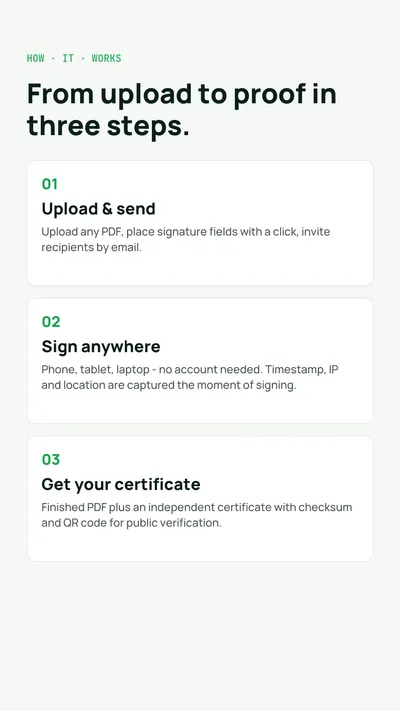
How to get a PDF signed online
- 01
1. Upload the PDF
Create a free account and upload the document — a contract, a quote, a handover report, any PDF.
- 02
2. Place fields and add signers
Click where each person should sign. Add one or several signers with their email address.
- 03
3. Signed, sealed, verifiable
Signers open the link on any device and sign with finger, mouse or touchpad. You get the final PDF plus certificate.
Why not just paste an image of your signature?
Many free tools let you draw a signature and drop it into a PDF. That looks like a signature — but legally it is little more than a picture. Anyone can copy it, and nobody can tell afterwards who placed it, when, or whether the text was changed later.
CertOrigin works differently: the signature is created on our server-side signing page, and every step is logged. The finished document receives a SHA-256 checksum — a digital fingerprint that changes completely if even a single character in the file is altered. Together with the server timestamp, the IP address and — if the browser allows it — the location, this produces an evidence trail you can actually rely on in a dispute.
Comparison
Signature image vs. CertOrigin
| Signature image in a PDF | CertOrigin | |
|---|---|---|
| Who signed? | Not provable | Signing via personal link sent to the signer's email address |
| When? | Device clock, easy to fake | Server timestamp |
| From where? | Unknown | IP address and location (with permission) |
| Changed afterwards? | Not detectable | SHA-256 checksum on the certificate |
| Can a third party verify it? | No | Yes, via QR code, without login |
What you can sign with CertOrigin
Contracts & quotes
Service agreements, order confirmations, quotes — signed the same day instead of next week.
Handover reports
Apartment or site handovers with time and location on the certificate. More use cases.
NDAs & agreements
Non-disclosure agreements, cooperation agreements, freelancer contracts.
Forms & consents
Consent forms, policy acknowledgements, registration forms.
Private sales
Purchase agreements for cars, furniture or equipment between private persons.
Internal approvals
Several signers in sequence — each with their own link.
Questions about signing PDFs
Can I sign a PDF online without software?
Yes. CertOrigin runs completely in the browser. You don't need Adobe Acrobat or any other software, and your signers don't need anything at all except the link.
Can I also sign a PDF myself?
Yes. Add yourself as a signer — you sign through the same signing page and your signature gets the same certificate.
Can several people sign the same PDF?
Yes. Each signer gets their own field and their own personal link. You see the status of every signature.
Is it safe to upload my PDF?
Documents are transmitted encrypted. The public verification page shows only whether a document is valid and unaltered — no content, no personal data and no location.
Does it work on a phone?
Yes. The signing page is made for touchscreens — signers sign with their finger. For senders there is also the CertOrigin Android app.
Get your PDF signed today.
20 signatures a month are free — permanently, without a credit card.
Start free – 20 signatures a month Get the Android app
Free plan: 20 signatures per month, no credit card, cancel paid plans monthly.